Lines · Draw or tap out a line
Elevation profile and grade along any line
Draw a line anywhere in New York and get its elevation profile: distance, total climb and descent, and the grade section by section. It works as a driveway grade calculator, a trail grade check and a fall check for a ditch or a pipe run.
Your town, city or village sets the steepest grade a driveway may have. The profile shows exactly which stretch exceeds the number you are working to.
Free to run · pay to download
Free to run, and free to save as a PNG image of the map. This tool has no file export of its own. For the terrain as a file, Download Data exports contours, a GeoTIFF or a 3D mesh with a pass: US$29 for 24 hours, US$99 for 30 days or US$399 for 12 months.
Who uses this
- Owners and designers. Check a driveway or a path meets the grade before it is drawn up.
- Farmers and ranchers. Test a farm road, a lane or a fence line.
- Hikers, runners and riders. Get the climb on a route.
When to use it
- Planning a driveway, a farm road, a pipe run or a fence line.
- Checking the climb on a hike, a ride or a run.
- Seeing whether water will flow the right way along a proposed ditch.
Tools for your job
Elevation Profile is one step in a bigger question. These are the jobs it helps with, and the tools that go with it.
For the job: Excavation, driveways and farm roads
How much digging, and can a driveway or farm road make the grade?
- 1.Cut & Fill — Cut and fill in cubic yards to level a pad, at an elevation you set or the one that balances.
- 2.Elevation Profile (this tool) — Grade along a proposed driveway, section by section.
- 3.Route Explorer — Finds a line between two points that stays under a maximum grade.
- 4.Contour Lines — Site contours at 1 or 2 ft to hand to a designer.
For the job: Hikes, runs and rides
How much climbing, and how far?
- 1.Elevation Profile (this tool) — Distance, total climb and descent, and the steep sections.
- 2.Elevate a File — Replaces the noisy altitude in a GPX from a watch or phone with lidar ground elevation.
- 3.Measure — A quick flat distance between points.
How to use it
- Open Elevation Profile and tap out the line, corner by corner. Undo removes the last point.
- Finish the line. The profile chart appears in the panel.
- Hover over the chart to read distance and elevation at any point.
Step by step: Mount Marcy
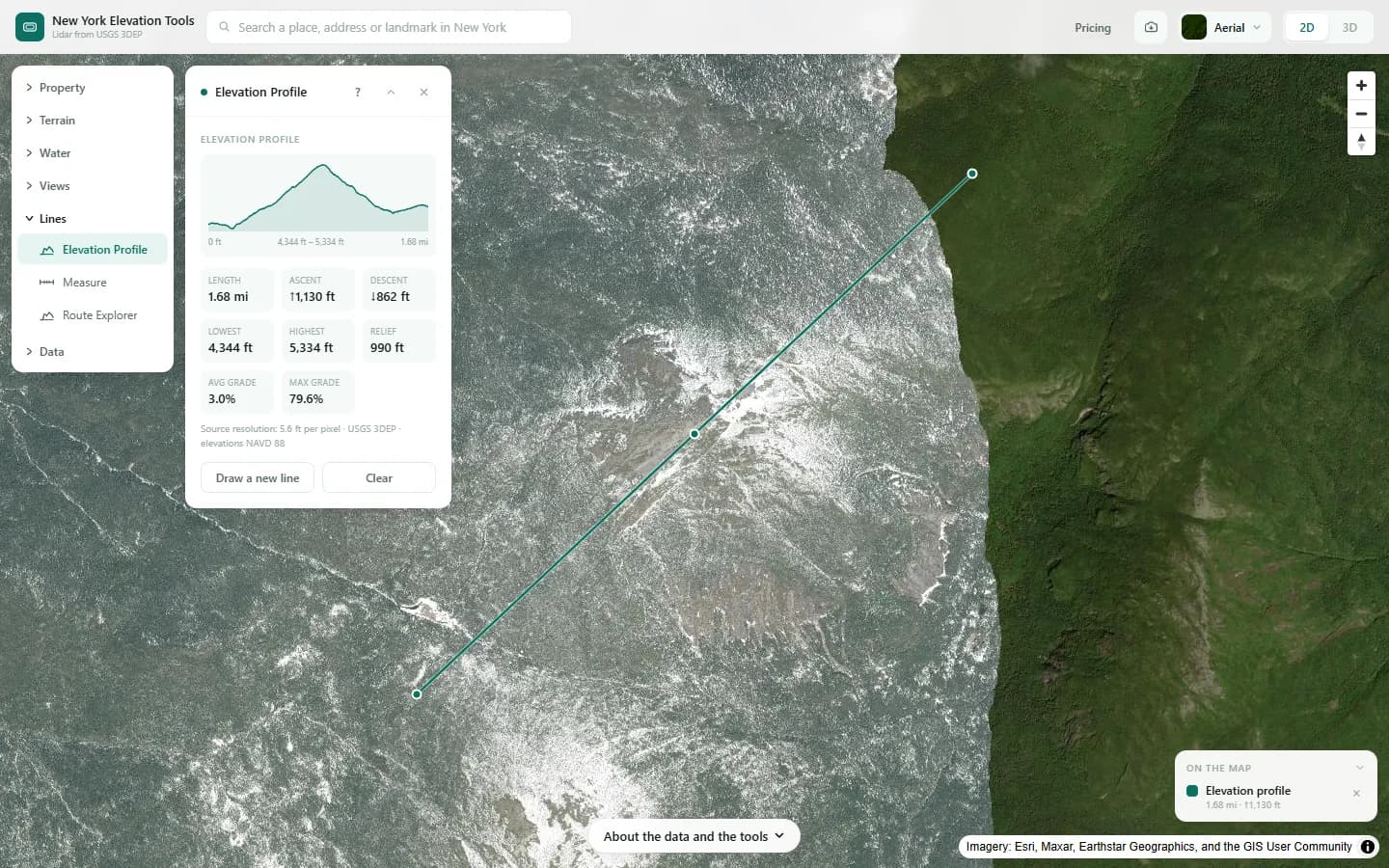
We draw a cross-section across the example area.

What it showed
- Hover over the chart to read distance and elevation at any point. For a profile you can download as CSV, draw the line with Route Explorer.
Screenshots from New York Elevation Tools. Imagery: Esri, Maxar, Earthstar Geographics, and the GIS User Community. Elevation data from USGS 3D Elevation Program. USGS 3DEP data is in the public domain (U.S. Government work).
How it works
The line is sampled at close, even spacing and the USGS 3DEP bare-earth model is read at each sample, interpolating between cells. Ascent and descent are the sums of the rises and falls between samples; grade is rise over run between them.
Reading the results
Grade is in percent: 10% is 1 ft of rise for every 10 ft along. Your town, city or village sets the maximum grade for a driveway; check its standards before designing to a number.
Total ascent and descent count every small rise, so a rolling line shows more climb than the difference between its ends.
Limits and caveats
- Lines up to 15.5 miles.
- Where lidar has not been flown, the USGS 3DEP model falls back to its 1/3 arc-second layer, about 33 ft per pixel, and downloads state what share of the area came from it. That coarser model is not fit for site-scale decisions. Lidar coverage and source resolution vary across New York. Check your location against the USGS 3DEP index; no statewide coverage percentage is asserted. The fallback is rare.
- Bare ground only. A bridge or a culvert shows as the valley beneath it.
Data and attribution
Results come from the USGS 3D Elevation Program (3DEP) bare-earth elevation model: lidar at 3.3 ft per pixel where it has been flown, and the 1/3 arc-second model, about 33 ft per pixel, elsewhere, with elevations above NAVD 88. This edition uses bare-earth terrain only. Buildings and trees are excluded.
USGS 3DEP elevation and USGS maps are U.S. Government works in the public domain. Credit the USGS 3D Elevation Program. NYS public tax parcels are assessment data provided as is, not surveys. Esri World Imagery follows its own terms and is display-only; downloaded aerial imagery comes from USGS NAIP.
Questions
What is the maximum driveway grade in New York?
There is no single statewide number to quote here: your town, city or village sets driveway and access standards, and fire access rules can apply too. Check with the town, city or village planning or public works department before you design to a grade.
Ready to try it?
Open Elevation Profile on the map →Free to use, no account. The analysis runs in your browser on public-domain USGS 3DEP data. Downloading the results needs a pass: see pricing.