Terrain · Select a property, draw a box or polygon, or upload a boundary
Contour map for any New York property
Make a New York contour map for any property from the USGS 3DEP lidar elevation model, at any interval from 1 ft upward, and export them clipped to the parcel boundary as GeoJSON or KML. For AutoCAD and Civil 3D, Download Data exports DXF in New York State Plane feet, as well as Shapefile, SVG and a print-ready PDF, covering the rectangle around the property.
The usual comparison is the USGS topographic quads. Those show the published USGS topographic map series, where each map sheet uses one fixed contour interval chosen for its terrain. This tool generates contours at any interval you choose from the underlying elevation model, and lets you export them. A property contour map at 1 or 2 ft shows the ground at the scale a driveway, a house pad or a drainage plan needs, in the format your designer already uses.
Free to run · pay to download
See the full result on the map free, with no account. Download the contours as GeoJSON and KML here, or as DXF, Shapefile, SVG and PDF from Download Data with a pass: US$29 for 24 hours, US$99 for 30 days or US$399 for 12 months, a one-off payment in US dollars that never renews. Every download on the site is included while the pass lasts.
Who uses this
- Architects and designers. Drop site contours into CAD for concept design.
- Landscapers. Plan grades, paths, retaining walls and planting from real contours.
- Owners and builders. Understand the fall across a lot before talking to a surveyor.
When to use it
- You need site contours for a concept plan, a driveway, drainage or a landscape design.
- You want contours clipped to a property boundary instead of a whole map sheet.
- The one fixed contour interval of a USGS topo quad is too coarse for the question.
Tools for your job
Contour Lines is one step in a bigger question. These are the jobs it helps with, and the tools that go with it.
For the job: Excavation, driveways and farm roads
How much digging, and can a driveway or farm road make the grade?
- 1.Cut & Fill — Cut and fill in cubic yards to level a pad, at an elevation you set or the one that balances.
- 2.Elevation Profile — Grade along a proposed driveway, section by section.
- 3.Route Explorer — Finds a line between two points that stays under a maximum grade.
- 4.Contour Lines (this tool) — Site contours at 1 or 2 ft to hand to a designer.
For the job: Plans, CAD, GIS and 3D printing
I need the terrain as a file.
- 1.Download Data — Contours, a GeoTIFF elevation model, a georeferenced aerial photo or a 3D mesh for printing.
- 2.Contour Lines (this tool) — Contours previewed on the map before you export them.
- 3.Elevate a File — Adds ground elevation to your own GPX, KML, GeoJSON or CSV points.
- 4.Add Elevation — A single spot elevation, for a floor level or a tank.
- 5.Terrain Stats — The highest, lowest and mean ground elevation of an area, and how the land is spread between them.
How to use it
- Select a property, draw an area or upload a boundary.
- Choose the contour interval in feet. Finer intervals mean more lines and a bigger file.
- Generate. Contours appear on the map with elevation labels you can toggle.
- Pick an export format and download.
Step by step: Mount Marcy
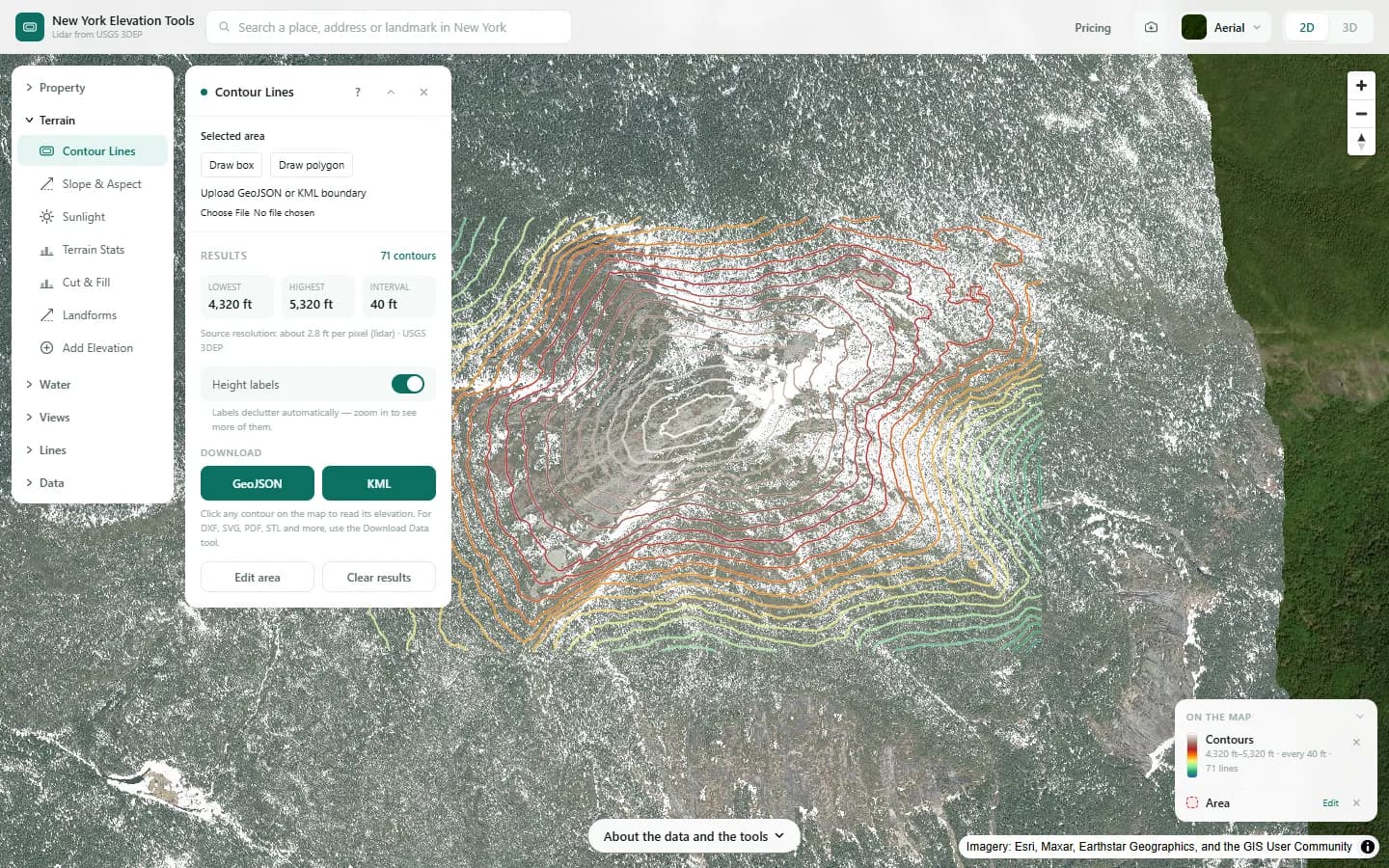
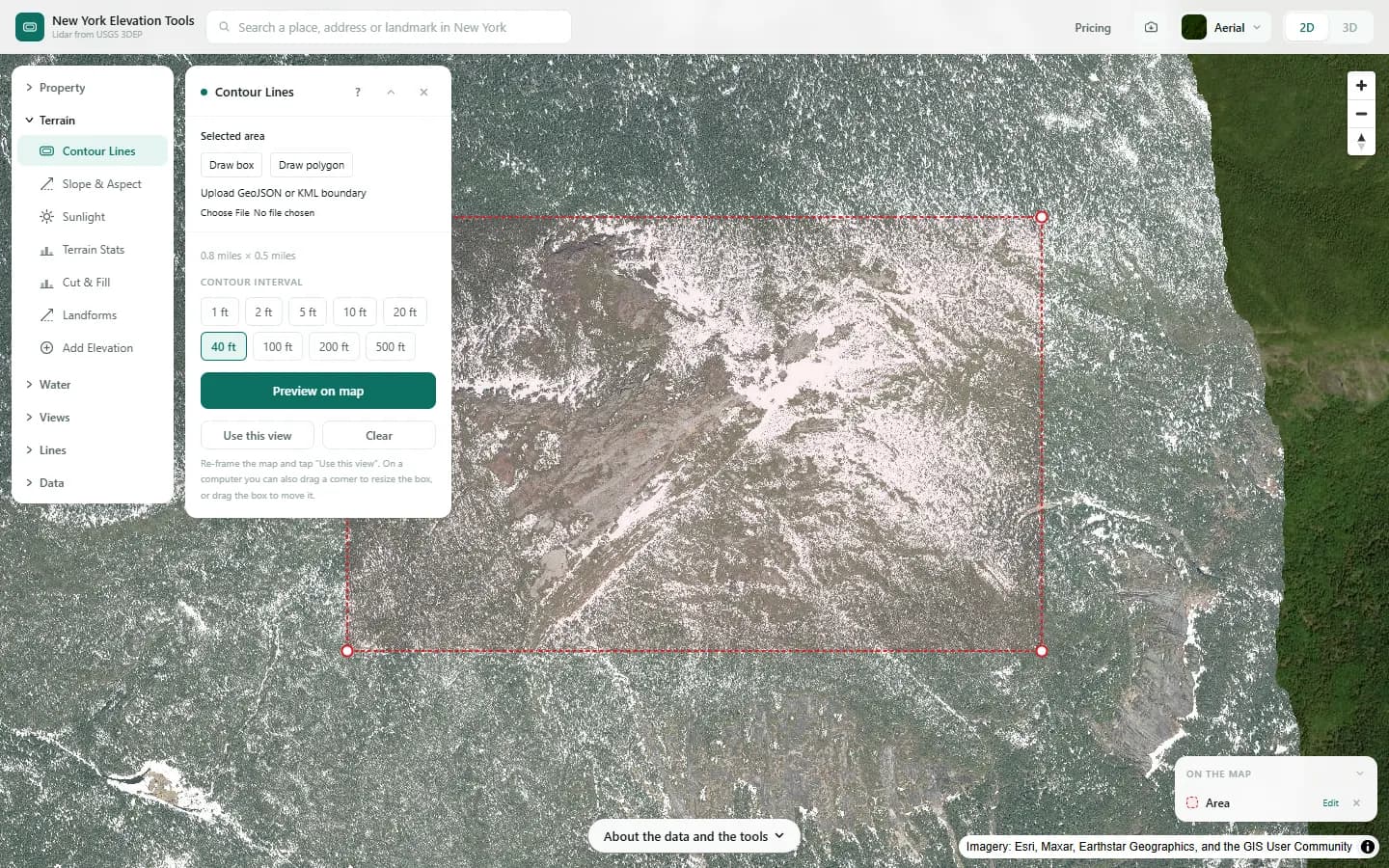
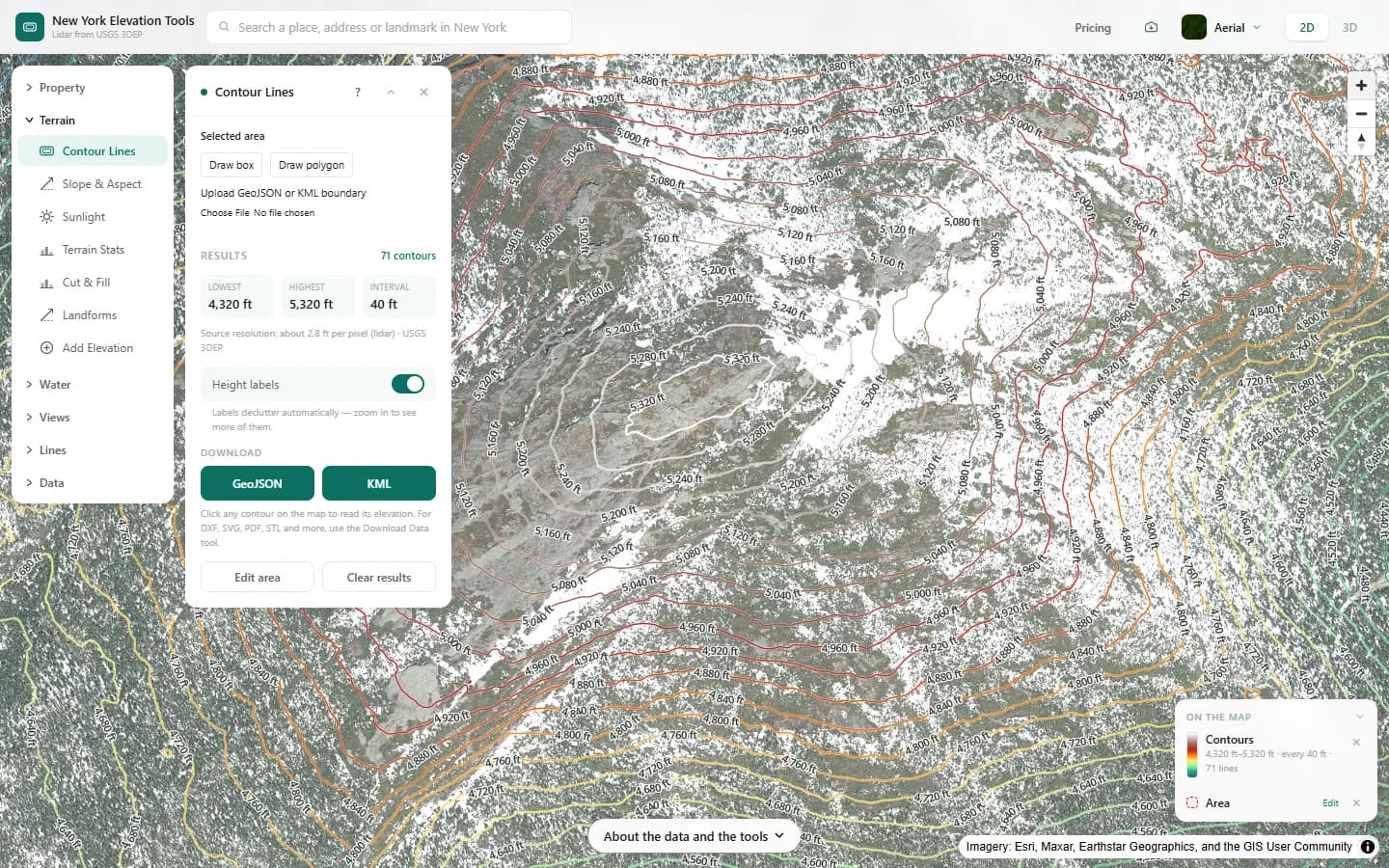
We draw contours at a 40 ft interval across the Mount Marcy summit area.
What it showed
- Tight lines are steep ground. Valleys can show as V-shaped bends pointing uphill.
- For a site plan, select just the lot and use a 1 or 2 ft interval.
Screenshots from New York Elevation Tools. Imagery: Esri, Maxar, Earthstar Geographics, and the GIS User Community. Elevation data from USGS 3D Elevation Program. USGS 3DEP data is in the public domain (U.S. Government work).
How it works
The USGS 3DEP bare-earth model is loaded for the area and traced at each contour elevation, in whole feet. Fragments are stitched into continuous lines, simplified slightly so the files stay usable, and labeled with their elevation.
The output resolution follows the size of the area: a building site is traced at the full 3.3 ft per pixel, while a block 7.5 miles on a side is resampled to roughly 39 ft per pixel before tracing.
Reading the results
Closely spaced lines mean steep ground; wide spacing means flat. A closed ring with no lines inside is a knoll or a hollow.
Every contour carries its elevation in feet; the GIS formats add a meters field alongside. DXF files are in New York State Plane, in US survey feet (zone recorded in the file).
Limits and caveats
- Areas up to 7.5 miles per side.
- Intervals of a few feet are only meaningful where lidar at 3.3 ft per pixel exists. On the coarser fallback model, about 33 ft per pixel, they trace interpolation, not ground.
- The terrain is a snapshot from the date the lidar was flown. Grading since then is not shown.
- The GeoJSON and KML exports in this panel are clipped to a selected property. The DXF, Shapefile, SVG and PDF files come from Download Data, which covers the rectangle around the property instead.
Data and attribution
Results come from the USGS 3D Elevation Program (3DEP) bare-earth elevation model: lidar at 3.3 ft per pixel where it has been flown, and the 1/3 arc-second model, about 33 ft per pixel, elsewhere, with elevations above NAVD 88. This edition uses bare-earth terrain only. Buildings and trees are excluded.
USGS 3DEP elevation and USGS maps are U.S. Government works in the public domain. Credit the USGS 3D Elevation Program. NYS public tax parcels are assessment data provided as is, not surveys. Esri World Imagery follows its own terms and is display-only; downloaded aerial imagery comes from USGS NAIP.
Questions
Can I get contours as DXF for AutoCAD?
Yes. Generate the contours on the map, then export from Download Data as DXF. The file is in New York State Plane, US survey feet (zone recorded in the file); each line sits at its elevation in feet, on a layer named for it, and opens in AutoCAD, Civil 3D and most CAD packages.
What is the finest contour interval?
1 ft. Intervals of a few feet are only meaningful where lidar at 3.3 ft per pixel exists; elsewhere the USGS model falls back to about 33 ft per pixel and the download says so. Lidar coverage and source resolution vary across New York. Check your location against the USGS 3DEP index; no statewide coverage percentage is asserted.
Are these contours good enough for a building permit?
They are good enough for concept design and early conversations. What a permit application needs is set by your town, city or village; many ask for a survey by a licensed surveyor, who may well use the same lidar as a base. Check with the town, city or village planning or building office.
Ready to try it?
Open Contour Lines on the map →Free to use, no account. The analysis runs in your browser on public-domain USGS 3DEP data. Downloading the results needs a pass: see pricing.